
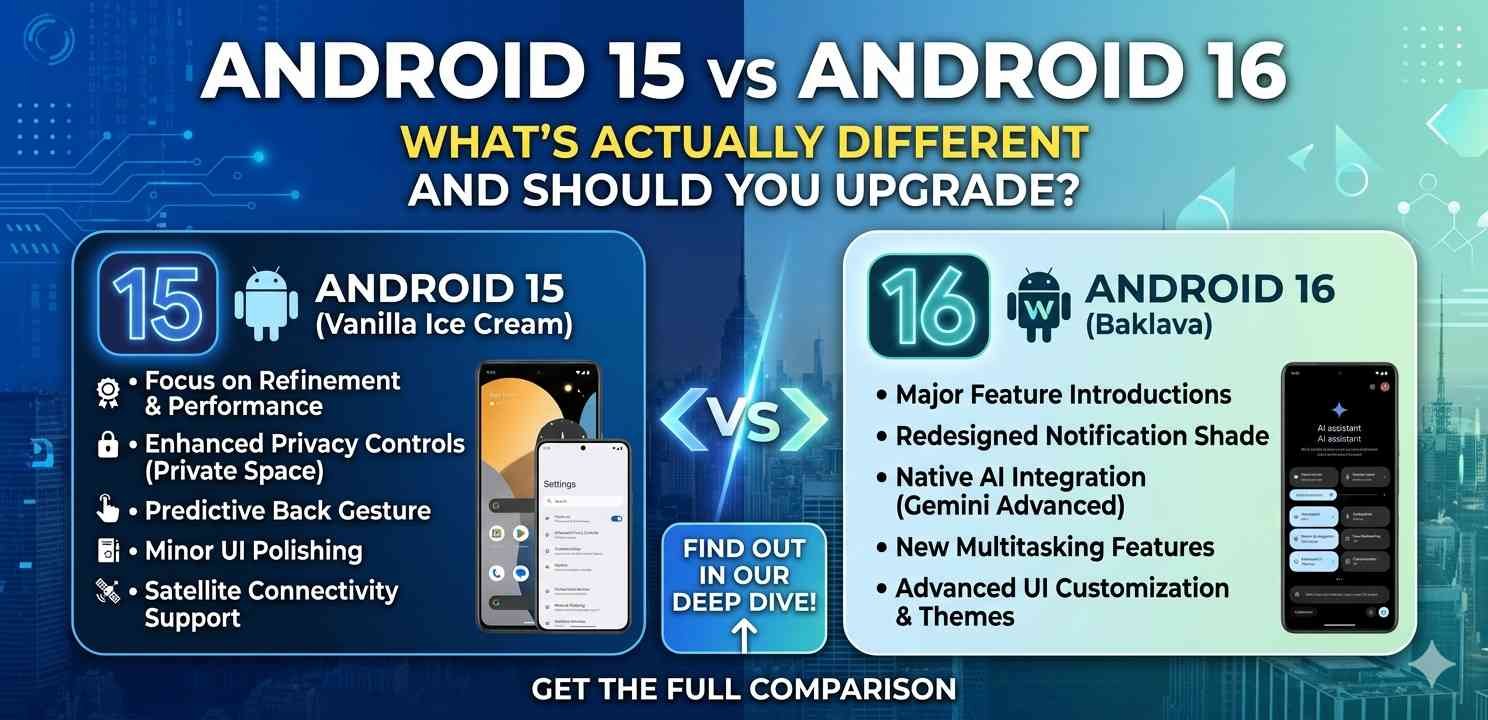
If you’ve been hearing people talk about Android 15 vs Android 16 and wondering what the big deal is, you’re not alone. Most people I know didn’t even notice when their phone updated — until something suddenly looked or worked differently.
This guide breaks it all down clearly. No tech jargon, no hype. Just a practical look at what changed, what stayed the same, and whether updating your Android phone is worth it right now.
What Is Android 15 and Who Has It?
Android 15 rolled out starting in late 2024 and reached most flagship phones — Samsung Galaxy S series, Pixel 7 and above, and select OnePlus and Xiaomi models — by early 2025.
The focus of Android 15 was mostly under-the-hood stuff. Better battery optimization, smoother multitasking, and some solid privacy improvements. Nothing too flashy on the surface, but real improvements that people started noticing in daily use.
In the Android 15 vs Android 16 conversation, Android 15 was the stable, reliable foundation that set things up for what came next.
What’s New in Android 16?
Android 16 is more ambitious. Google pushed out changes that actually affect how you use your phone every day — not just in the background.
Adaptive Refresh Rate Is More Intelligent
On Android 15, the refresh rate adaptation was decent but could drain battery faster when browsing static content. Android 16 fixes that. The system now detects whether you’re reading a still page or scrolling quickly, and adjusts the display refresh rate in real time.
This makes a visible difference on phones like the Pixel 9 or Galaxy S25 — smoother when scrolling, longer battery life when reading.
Notification System Got a Real Overhaul
Honestly, Android notifications were getting out of hand. Android 16 introduces smarter notification bundling. Similar alerts from the same app now collapse into a single notification, and you can expand them with one tap.
If you’ve got five food delivery updates from one order piling up, Android 16 groups them automatically. Android 15 didn’t do this — you’d get each ping separately.
Privacy Dashboard Is More Useful Now
The Android 15 vs Android 16 difference is noticeable in the privacy settings. Android 16 gives you a clearer timeline of which apps accessed your camera, microphone, or location, and when.
You can see it all in one screen, and it’s broken down by hour. Much easier to spot if something sketchy is running in the background.
Android 15 vs Android 16: Performance Comparison
Let’s talk about the thing most people actually care about — does your phone run better?
App Launch Speed
Android 16 brings improved predictive loading. Based on your habits, the OS pre-loads apps it thinks you’ll open next. If you open Instagram every morning after checking your messages, Android 16 quietly warms up that app in the background.
Android 15 had adaptive battery, but not this level of predictive behavior.
RAM Management
On Android 15 vs Android 16, RAM handling is where the gap widens most noticeably on mid-range phones. Android 16 is smarter about which apps stay in memory and which get cleared. This reduces the annoying reload time when switching between apps.
If you use a phone with 6GB RAM or less, you’ll feel this.
Battery Life: Does Android 16 Actually Help?
This is one of the most searched questions in the Android 15 vs Android 16 debate, and the honest answer is: it depends on your phone.
On Pixel devices, Android 16 shows a clear improvement — about 8–12% better screen-on time in early tests. On some Samsung Galaxy phones, the gains are smaller because Samsung’s One UI already handles battery optimization aggressively.
Android 15 was already good in this area. Android 16 refines it further but doesn’t make an old phone feel brand new.
Design Changes: What Looks Different?
Android 16 updates the Material You design language. The changes are subtle — rounded corners are slightly more pronounced, the quick settings panel has more breathing room, and animations feel crisper overall.
The lock screen customization options have also expanded. You get more font choices and widget placement flexibility, similar to what iPhone users have had for a couple of years.
In the Android 15 vs Android 16 visual comparison, Android 16 feels more polished. Android 15 felt functional. Android 16 feels considered.
Security Updates: What Changed?
Both versions take security seriously, but Android 16 adds a few important things.
Safer Sideloading
Android 16 now shows a detailed warning — not just a generic alert — when you try to install an APK from outside the Play Store. It tells you specifically what permissions that app is requesting and flags anything unusual.
Android 15 had basic sideloading warnings, but they were easy to dismiss without reading.
Theft Detection Improvements
Building on what Android 15 introduced, Android 16 improves the motion-based theft detection. If your phone senses it’s been snatched and is moving quickly, it locks itself faster and more reliably. For more details on Android security best practices, Google’s Android security overview is worth checking out.
Should You Actually Upgrade?
Here’s the honest take on Android 15 vs Android 16 when it comes to upgrading:
Upgrade now if:
- Your phone supports Android 16 officially
- You care about privacy improvements
- You use a mid-range device with 6GB RAM or less (RAM management improvements are noticeable)
- You want a better notification experience
Wait if:
- Your phone manufacturer hasn’t released a stable Android 16 build yet
- You’re using a heavily customized skin like MIUI or older OneUI — wait for the manufacturer’s version, not just the base Android 16 rollout
- Everything is working fine and your phone feels stable
You can check whether your specific device supports Android 16 by visiting your phone manufacturer’s update page. Also see our guide on checking Android version and update status for step-by-step instructions.
Devices Getting Android 16: A Quick Look
Not every phone will get Android 16, and that matters. Google Pixel 6 and above are confirmed. Samsung Galaxy S22 and above are expected to receive it. OnePlus 10 Pro and above should also be in the list.
Mid-range phones from 2022 or earlier are less likely to see Android 16. In the Android 15 vs Android 16 rollout, Android 15 had wider reach because it required less hardware capability.
For a full list of supported devices, Android’s official developer page keeps this updated regularly.
Final Conclusion
The Android 15 vs Android 16 comparison comes down to this: Android 15 was a solid, dependable update. Android 16 takes the same foundation and makes it feel more thoughtful — better for your battery, more private, smarter with notifications, and easier on mid-range hardware.
If your phone supports it and the stable build is available from your manufacturer, upgrading to Android 16 is genuinely worth it. If you’re waiting on a custom skin like One UI or OxygenOS, give it a few weeks after the base rollout before jumping in.