
Ever wondered about those funny names like Lollipop, Marshmallow, or Nougat that pop up when talking about Android phones? It can seem a bit confusing, especially if you’re new to the world of smartphones. But don’t worry, understanding Android versions is actually pretty straightforward, and it helps you appreciate how far these devices have come. Think of it like a timeline of upgrades, each bringing new features and improvements. Let’s break it all down in a way that makes sense, without any tech jargon overload.
Android, at its core, is the operating system that powers most of the smartphones and tablets you see around. It’s developed by Google, and just like any software, it gets updated regularly. These updates aren’t just minor tweaks; they often introduce significant changes that make your phone work better, look different, or gain new capabilities.
Why Do Android Versions Have Dessert Names?
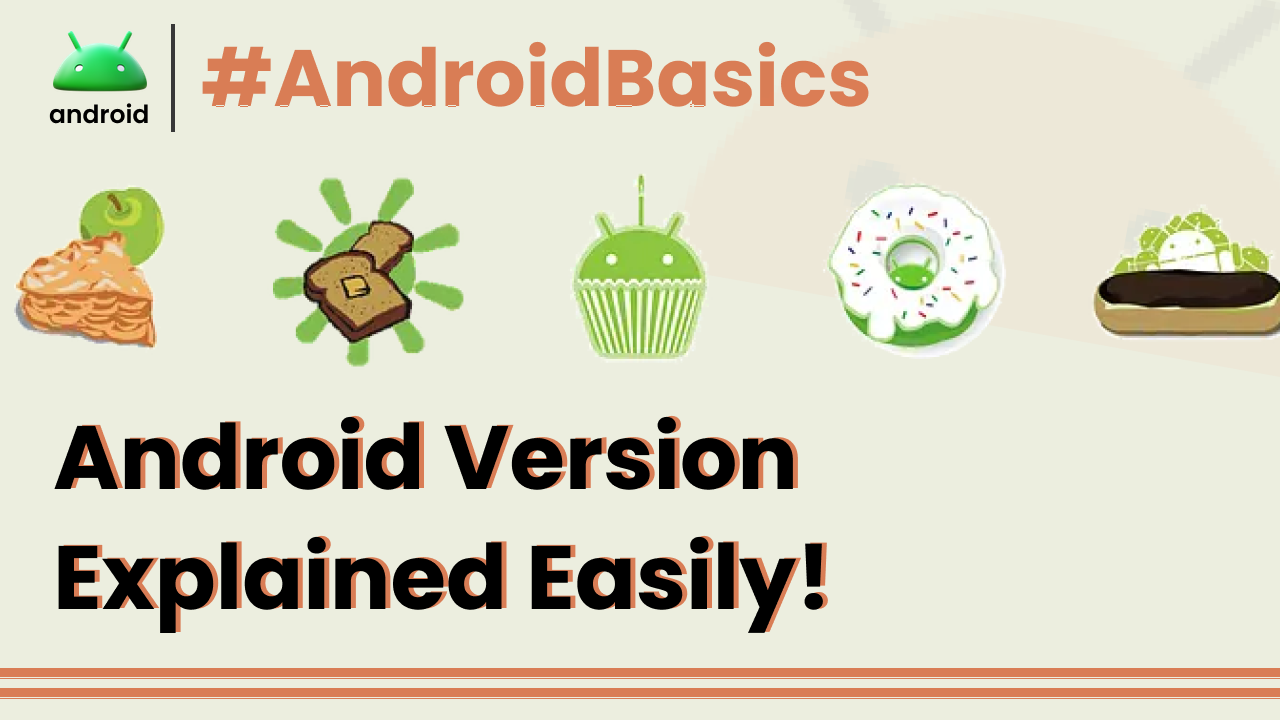
This is one of the most distinctive and fun aspects of Android’s naming convention. For a long time, Google decided to name its major Android releases after popular desserts, in alphabetical order. It started way back with the early versions.
For example, we had Android 1.5 Cupcake, followed by 1.6 Donut, 2.0 Eclair, and 2.2 Froyo (which stands for Frozen Yogurt). Then came 2.3 Gingerbread, 3.0 Honeycomb (which was a bit of a special case for tablets), and 4.0 Ice Cream Sandwich.
This playful naming made the updates more memorable and gave them a distinct personality. It was a clever marketing move that made the tech world a little more whimsical. People would eagerly anticipate the next dessert-themed update.
The Evolution of Android: From Cupcake to the Latest
While the dessert names are fun, the underlying versions represent significant leaps in functionality and user experience. Let’s take a look at some of the key versions and what they brought to the table.
Remember the days of Android 2.3 Gingerbread? This version was incredibly popular and brought a smoother user interface, improved copy-paste functionality, and support for more sensors like accelerometers and gyroscopes. It was a solid foundation for many early smartphones.
Then came Android 4.0 Ice Cream Sandwich. This was a big deal because it unified the experience for both phones and tablets, which had been running on different branches. It introduced a cleaner, more modern interface with the “Holo” design language, featuring a distinct blue and black theme.
Android 4.1-4.3 Jelly Bean focused on performance and smoothness. This was the era of “Project Butter,” aimed at making the Android interface feel incredibly fluid and responsive. It introduced features like expandable notifications and a personalized Google Now.
Next up was Android 4.4 KitKat. This version was optimized to run on a wider range of devices, including those with less RAM. It brought a more refined UI, the “Ok Google” voice command integration, and improvements to messaging and Google Now.
The Age of Modern Android: Marshmallow and Beyond
The dessert names continued with Android 5.0 Lollipop. This was a massive visual overhaul with the introduction of Material Design. This design philosophy emphasized bold colors, clean typography, and fluid animations, setting the visual standard for Android apps for years to come.
Android 6.0 Marshmallow was all about refining the user experience and adding smarter features. It introduced granular app permissions, allowing you to grant or deny specific permissions (like access to your camera or contacts) when an app first needs them. It also brought features like Doze mode for better battery life and Google Now on Tap for contextual information.
Android 7.0 Nougat brought more intelligence and convenience. This version introduced a split-screen multitasking mode, allowing you to run two apps side-by-side. Notifications became more interactive, and there was an improved Doze mode for even better battery efficiency. It also laid the groundwork for things like Vulkan API for better graphics performance.
Following Nougat was Android 8.0 Oreo. This version focused on making Android “smarter” and more user-friendly. Key features included Picture-in-Picture mode (great for watching videos while browsing), notification channels for better control over alerts, and Project Treble, which aimed to speed up future Android updates by separating the OS framework from the vendor implementation.
Android 9 Pie continued the trend of intelligence and personalization. It introduced Adaptive Battery and Adaptive Brightness, which learned your usage patterns to optimize power consumption and screen brightness. The navigation system also saw changes with a gesture-based navigation option becoming more prominent.
The Current Era: Android 10 and Later
With Android 10, Google decided to drop the dessert names for major public releases. While internal codenames might still exist, the public-facing names became purely numerical. Android 10 brought a system-wide dark theme, enhanced gesture navigation, improved privacy controls, and better support for foldable devices.
Android 11 built upon these foundations, focusing on communication and device control. It introduced a dedicated “Conversations” section in the notification shade for important messages, enhanced media controls, and more granular permissions for things like one-time access to location or microphone. It also made it easier to manage connected smart home devices directly from your phone.
Android 12 brought perhaps the most significant visual redesign in years with “Material You.” This dynamic theming system allows the entire interface to adapt its colors based on your wallpaper, creating a truly personalized look. It also included privacy enhancements like a Privacy Dashboard and indicators when your microphone or camera is in use.
Android 13 continued to refine Material You, offering more customization options for app icons and colors. It also focused on enhancing privacy and security, with improved photo picker controls and more control over notification permissions. Multilingual app support was also improved, allowing you to set different languages for different apps.
And as of my last update, we have Android 14, which further builds on previous versions with enhancements to performance, battery efficiency, accessibility, and security. It offers more customization for lock screens, improved file management, and better support for large screens and foldable devices.
What About Older Versions?
You might still encounter older Android phones running versions like Jelly Bean, KitKat, or even older. While these versions were great in their time, they often lack the security updates and features of newer versions. This is why keeping your phone updated is important.
Manufacturers like Samsung, Google (with Pixel phones), OnePlus, and others customize the Android experience. This means a Samsung phone running Android 13 might look and feel slightly different from a Google Pixel phone running the same Android 13 version. They add their own features, apps, and interface tweaks on top of the core Android system. You can learn more about the fundamentals of Android and how it works on smartphones in this helpful guide.
The Importance of Updates
Each new Android version, whether it has a dessert name or a number, brings improvements. These can range from small bug fixes to major new features that change how you use your phone. Updates also include crucial security patches that protect your device from malware and online threats.
Unfortunately, not all Android phones receive updates for the same length of time. Google releases the core Android version, but phone manufacturers then need to adapt it for their specific hardware and software. This process can take time, and older devices eventually stop receiving major OS updates. However, they might still get security patches for a while.
Understanding these versions helps you know what capabilities your phone has and why newer phones might offer a different experience. It’s a continuous journey of innovation, all powered by the flexible and powerful Android operating system.
Final Conclusion
Navigating the world of Android versions can seem complex, but it boils down to a history of innovation, each release building upon the last. From the early dessert-named versions like Gingerbread and Lollipop to the numerically identified Android 10, 11, 12, 13, and 14, Google has consistently evolved its mobile operating system. These updates bring not only new features and improved performance but also vital security enhancements. While manufacturers customize the Android experience, the core version dictates the underlying capabilities and features available to users, making it essential to stay informed about the latest advancements for a safer and more capable smartphone experience.